2026 How to Choose the Best 12V Mini UPS for Your Needs
A 12v Mini Ups can keep a router, fiber terminal, or small camera online when the lights go out. But the right model is not simply the one with the largest battery label. Output voltage, current, connector polarity, and real runtime must match the device. A plug that almost fits is still the wrong plug.
The stakes are practical. Uptime Institute’s 2024 Annual Outage Analysis reported that 54% of respondents’ most recent significant outages cost more than $100,000; 16% exceeded $1 million. Those figures describe broader IT outages, not failures prevented by mini UPS units. Still, they show why dependable backup deserves careful attention. For home users, the detail may be simpler: a router that stays powered through a short outage can preserve access when it matters.
Schneider Electric power-systems analyst Patrick Donovan has published research on UPS design. A useful paraphrase of that work is: “Match the UPS to the load and operating conditions, not the headline capacity.” This is not a verbatim quotation. It is a reminder to check actual watt-hours, conversion losses, battery type, recharge time, and safety protections before buying. Small details count. This guide, 2026 How to Choose the Best 12V Mini UPS for Your Needs, will help compare those factors against your devices and budget. One honest caveat: advertised runtime can differ from results at home. Measure your load where possible.
What a 12V Mini UPS Is and Which Devices It Can Power
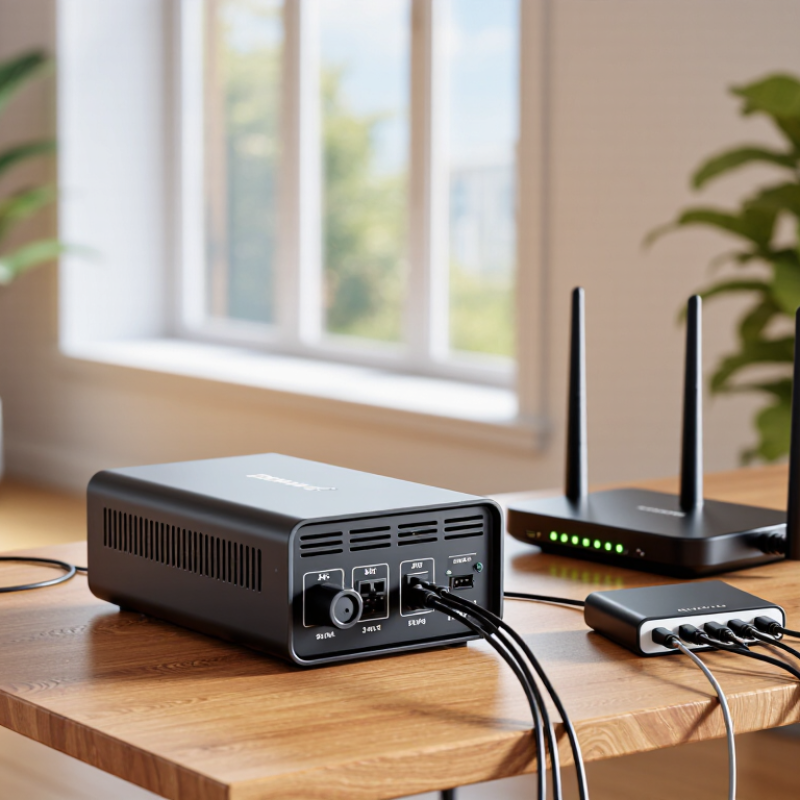
A 12V mini UPS is a compact battery backup that supplies direct current when household power fails. Many models keep a Wi-Fi router, modem, or small security camera running. The device must accept 12V input, and its plug and polarity must match the backup unit. Check the label, not just the plug shape. A connector can fit and still be wrong. Some units also offer 5V or 9V outputs, but those ports do not make every device compatible. Small details matter.
Runtime depends on battery capacity and the power drawn by connected devices. A router using 10 watts will usually run longer than a router and modem sharing the same backup. Check the rated output current, too; exceeding it may cause shutdown or unstable operation. A mini UPS is generally not intended for laptops, large appliances, or devices that need AC power. Read the manual for charging and pass-through behavior, since designs differ. For example, a brief outage may be covered easily, while several hours of service could exceed the battery’s capacity. It is tempting to choose by advertised runtime alone. I would treat that figure cautiously, because real results depend on the load and battery condition.
How to Calculate Your Devices’ Voltage, Current, and Runtime Needs
A 12V label is not enough; check each device’s input current too. A router marked 12V, 1A draws about 12W. Add the loads that may run together: a 12V, 1A router plus a 12V, 0.5A camera needs roughly 18W. Allow extra capacity for startup surges and aging batteries. The label can mislead. Some devices draw less during normal use, but their peak demand may be higher.
Estimate runtime with watt-hours: battery voltage × amp-hours × usable efficiency ÷ total load watts. For example, a 12V, 3Ah battery stores about 36Wh nominally. At an 18W load, that suggests two hours before losses. The U.S. Department of Energy’s Grid Energy Storage report (2013) gives lithium-ion round-trip efficiency in the approximate 85–95% range; a compact UPS may perform differently, so treat 85% as a cautious planning assumption, not a guarantee. That gives about 1.7 hours in this example. Check whether the UPS lists usable capacity, output limits, and runtime at your actual load. Batteries lose capacity with age, and a cold room can reduce performance. I would recheck the estimate after connecting the real devices.
Which Battery Capacity and Backup Features to Compare
A 12V mini UPS should match both your device’s voltage and its power demand. Check the label on your router, modem, or camera for its voltage and amperage. The UPS output must support 12V and provide at least the required current. Also verify the connector size and polarity; a plug that fits can still be wired incorrectly.
Compare battery capacity in watt-hours when possible. A milliamp-hour figure alone can mislead because it depends on the battery’s internal voltage. Estimate runtime by dividing usable watt-hours by the device’s wattage, then allow for conversion losses. This is only a starting point. Battery age, temperature, and changing power draw affect real results. Check whether the unit offers automatic switchover, short-circuit and overcharge protection, clear charge indicators, and the output ports you need. Some models include USB or network-device outputs; extra ports are useful only if they fit your setup.
Tips: Measure your device’s actual draw if you can, and leave a capacity margin for startup or added equipment. Test the UPS with your own devices before relying on it. Small details matter. A runtime estimate can look reassuring on paper, yet still fall short during an outage.
2026 Guide: Choosing a 12V Mini UPS by Battery Capacity
Estimated runtime is based on a nominal 3.7V battery voltage and 80% usable energy. Actual backup time varies with conversion losses, battery condition, output limits, and the connected device.
When comparing models, check the rated 12V output current, connector compatibility, pass-through operation, automatic switchover, overload protection, and whether the battery can be replaced. A larger capacity does not guarantee compatibility with a device’s power requirements.
How to Check Compatibility, Safety, and Power Connections
A 12V mini UPS is compatible only when its voltage, current capacity, connector, and polarity match the device. Check the device label and manual, not just the plug. A 5.5 mm barrel connector can look right while its inner pin polarity is wrong. A plug that fits can still be wrong. Confirm that the UPS supplies regulated 12V and can deliver at least the device’s required current; add a margin for startup surges. Also check whether the unit’s output stays active while charging. Some devices briefly restart during a power switch, which can defeat the backup.
Safety deserves the same attention as runtime. Look for clear battery specifications, overload and short-circuit protection, and recognized safety testing, such as IEC 62368-1 where applicable. Keep ventilation openings clear, and stop using a unit with a swollen case, unusual heat, or a damaged cable. Uptime Institute’s 2024 Annual Outage Analysis reported that 54% of surveyed organizations had experienced an outage in the previous three years, a reminder that power continuity is a practical concern. Still, a mini UPS cannot fix every interruption. Before buying, test the exact connection with the device disconnected from critical work; I would double-check polarity even after a successful fit. It is easy to overlook.
How to Choose a Mini UPS for Your Setup and Budget
Choosing a 12V mini UPS starts with your actual setup, not the largest battery you can afford. Check each device’s voltage, polarity, connector, and power draw; a router and optical network terminal may both use 12V but require different plugs. Add their wattages, then estimate runtime: a 20Wh battery with 80% usable energy could run a 12W load for about 1.3 hours. Real results vary with conversion losses, battery age, and temperature. Measure twice.
Budget for reliable fit and enough runtime, rather than extra capacity you may never use. Uptime Institute’s 2024 Annual Outage Analysis found that 54% of respondents said their most recent significant outage cost more than $100,000. That figure describes organizations, not households, but it underscores why even brief interruptions can matter. For a home setup, decide whether you need time to save work, keep Wi-Fi running through a short outage, or bridge a longer one. Then compare capacity, supported outputs, warranty, and replaceable-battery options.
Tips
Write down each device’s label rating and connector before shopping. Leave runtime headroom; advertised figures may assume lighter loads. A low-cost unit can be the right choice, but only if its output matches your equipment. I’d also test it at home—spec sheets don’t always predict your exact runtime.