How to Choose an Active Optical Cable?
Choosing an Active Optical Cable is not just a matter of picking the longest cable or highest data rate. An AOC combines fiber with optical conversion electronics, making it useful for high-speed links where copper cables may be bulky or limited by distance. The right choice depends on the equipment, the link length, and the conditions around the installation. Distance matters.
Start with the exact interface and data rate required at both ends. Check connector type, supported standards, and whether the cable is designed for your switch, server, graphics card, or other device. A connector that fits physically does not guarantee compatibility. Confirm the manufacturer’s compatibility information, especially for branded networking equipment. Then compare the cable’s rated length with the measured route, including a little room for routing and service access. Do not pull it tight around a rack corner.
Consider the environment, too. Review the operating temperature range, cable diameter, bend radius, and installation needs. In a dense rack, a lighter cable can make routing easier, but tight bends may damage fiber. Check both ends. Also consider whether the AOC is a fixed, integrated assembly or whether your setup would benefit more from separate optical transceivers and fiber. The simpler option is not always the better long-term choice.
A careful selection process starts with device documentation and a clear link plan, not assumptions based on appearance. Record the required speed, distance, connector, and supported cable type before ordering. Even then, verify the exact part number. Small details matter, and compatibility can be less straightforward than expected.
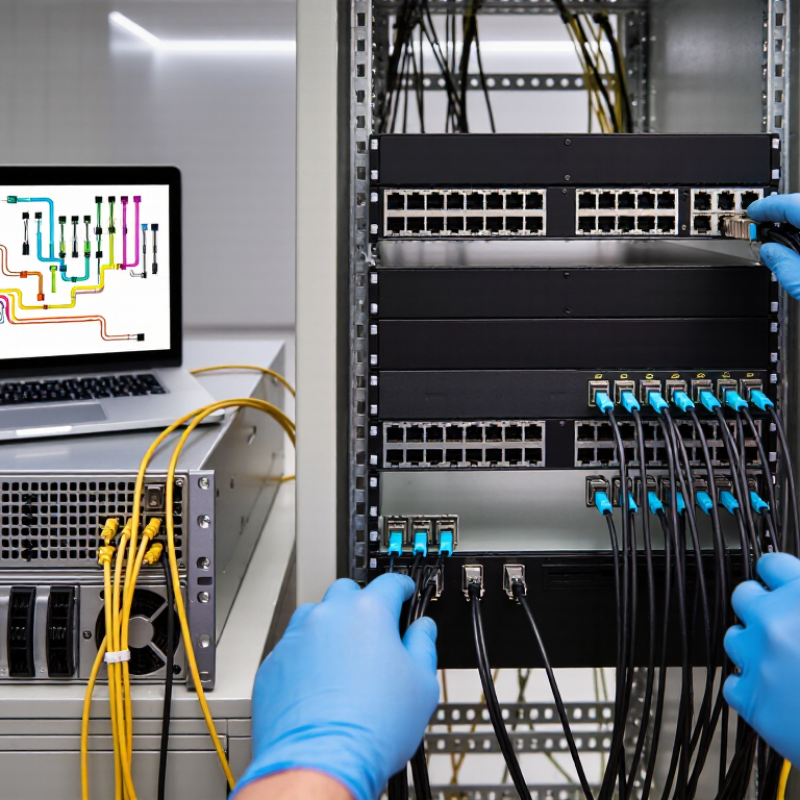
Identify the Application and Required Link Distance
Start with the equipment and task at each end of the link. A cable connecting two switches in one rack has different needs from one running between server rows. Check the ports, supported data rate, connector type, and whether the devices accept an active optical cable. A physical fit is not enough. The link must also meet the equipment’s specifications.
Measure the actual cable route, not just the straight-line distance between devices. Include vertical runs, overhead trays, and enough slack for service access. Then compare that measurement with the cable’s rated reach at the required data rate. Do not assume every active optical cable supports the same distance; specifications vary by model and speed. A little extra length can help with routing, but excess cable may complicate a crowded rack. Keep bends within the cable maker’s limits, especially near connectors. That detail is easy to overlook.
A common planning miss is measuring before the final rack layout is settled. If equipment may move, confirm the route again before ordering. Leave room for uncertainty, but avoid choosing a much longer cable without a reason.
Match the Cable’s Data Rate to the Network Protocol
How to Choose an Active Optical Cable?
Choosing an active optical cable starts with the protocol, not just the connector. A plug may fit while its electrical signaling, lane layout, or supported speed does not. Check the host and switch specifications for the exact standard and generation. Then compare the cable’s rated aggregate bandwidth with the link’s required rate. Don’t confuse per-lane speed with total throughput. A four-lane link may be described by its combined rate, while each lane carries only a portion.
Protocol details matter. Ethernet, InfiniBand, and other interfaces may use different signaling and link-training behavior, even at similar headline speeds. Confirm that the cable is designed for the intended protocol; matching bandwidth alone does not guarantee interoperability. A 100 Gb/s rating alone is not enough. Check the switch’s lane arrangement and any required forward error correction.
Check cable length and both ends, too. An AOC can suit a rack-to-rack run, but compatibility still depends on the connected ports and specified cable type. Before ordering, consult equipment manuals or compatibility tables. After installation, verify the negotiated link rate. That check takes minutes. Specifications can be annoyingly vague, so I would verify the exact protocol code rather than rely on shorthand.
Verify Connector Types and Device Compatibility
A connector that fits is not proof of compatibility. Check the exact interface at both ends: HDMI, DisplayPort, or USB-C. Some active optical cables have different plugs on each end, marked “Source” and “Display.” Connect them in the wrong direction, and the screen may remain blank. A quick label check can save a frustrating setup.
Match the cable’s supported data rate to the devices’ actual needs. A high-resolution display running at a fast refresh rate may require more bandwidth than a basic office monitor. For USB-C, confirm that the host port supports the video mode you need; the connector shape alone tells you very little. Also check supported resolution, refresh rate, and features such as HDR on the cable specification and both devices. Small details matter.
Adapters can complicate things. An adapter that works with a short copper cable may not pass the same signal through an active optical cable. Check the cable maker’s compatibility notes, and test the complete chain before installation, if possible. Active cables may need power from the source, too. Keep the cable within its stated bend limits; tight turns behind a display can stress the ends. Compatibility charts are useful, but they are not perfect. If a setup is unusual, verify the exact device models and port capabilities rather than relying on connector names alone.
Assess Power Requirements and Installation Conditions
How to Choose an Active Optical Cable?
Assess Power Requirements and Installation Conditions
An active optical cable (AOC) converts electrical signals to light inside its connectors, so its electronics need power from the connected equipment. Check the interface specifications at both ends, including supported data rate, cable length, and port power output. A link may work on a short bench test, then fail when a port reaches its power limit or starts another device. Leave headroom; specifications can vary between hosts.
Installation conditions matter too. Measure the actual route, not just the straight-line distance. Include rack turns, service loops, and space behind equipment. Observe the cable’s minimum bend radius and operating-temperature range. Tight ties, sharp tray edges, or a warm enclosed cabinet can stress the fiber or connector. Confirm connector orientation and access before routing; replacing a cable in a crowded rack is unpleasant. I would recheck the path after installation, because drawings often miss one awkward corner.
Tips: Compare the AOC’s power requirement with the host port budget, and verify compatibility at both ends. Test the full installed length under normal load. Keep connectors capped until use, and avoid pulling the cable by its heads. If details are unclear, check the equipment and cable datasheets rather than guessing.
Compare Reliability, Standards Compliance, and Cost
Choose an active optical cable by checking reliability, standards compliance, and total cost—not just its advertised speed. Start with the exact Ethernet rate, cable length, connector type, and host-device compatibility. Confirm the supplier provides test results, operating-temperature limits, and clear warranty terms. IEEE 802.3 defines Ethernet link requirements, but a standard alone does not guarantee that every cable works with every switch. Small details matter. Ask whether the assembly has been tested with your specific equipment, and check for link errors during installation.
Reliability has a real financial context. Uptime Institute’s 2024 Annual Outage Analysis reported that 54% of surveyed organizations said their most recent significant outage cost more than $100,000. That report does not measure AOC failures, but it shows why dependable links deserve scrutiny. Compare the cable’s purchase price with power use, replacement access, and the cost of keeping a spare. Not always. A cheaper cable may be a sensible choice for a short, accessible link; it is less attractive where replacement requires a maintenance window. I would not treat a compliance claim as proof of field reliability. Request the exact standards supported, review test documentation, and verify performance under your actual airflow and temperature conditions.
How to Choose an Active Optical Cable? — Reliability, Standards Compliance, and Cost
Standards-defined reach provides a useful reference when evaluating optical links. These 100 GbE limits are for the specified fiber types and interfaces; an AOC’s supported distance and compliance must be confirmed for its exact model.
Selection tip: Check the AOC datasheet for the applicable IEEE interface, length, environmental limits, and host compatibility. Compare reliability through warranty and operating-temperature specifications, and compare cost using quotes for the same speed, length, and support level—prices vary by product and market.